
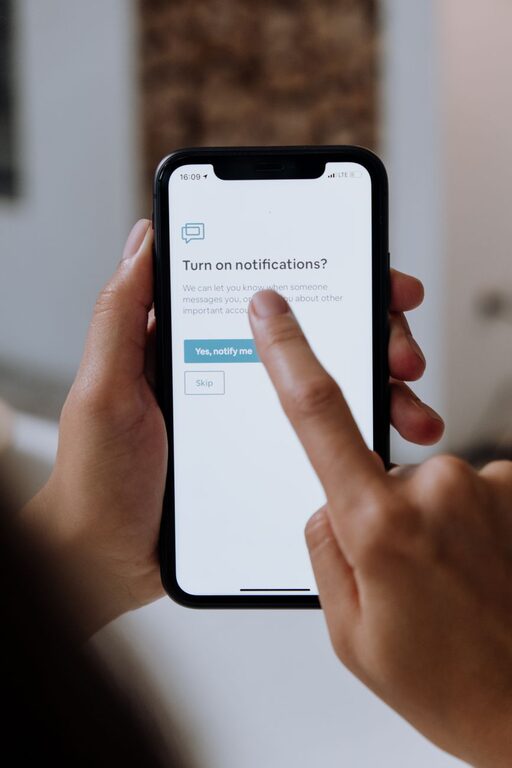
In today’s digital world, notifications are everywhere—popping up on our phones, computers, tablets, and even smartwatches. While they help us stay connected and informed, they can also be a major distraction, interrupting our workflow and increasing stress. Setting boundaries with notifications is essential for maintaining focus, improving productivity, and protecting your mental well-being.
This post explores practical strategies you can use to manage your notifications thoughtfully and create a more balanced digital experience.
Why Setting Boundaries with Notifications Matters
Notifications demand immediate attention, which can fragment your day and reduce your ability to concentrate deeply. Constant interruptions can lead to:
– Decreased productivity
– Increased stress and anxiety
– Poor sleep quality if notifications appear late at night
– Difficulty being present in conversations or activities
By setting clear boundaries, you gain control over when and how notifications reach you, helping you stay focused and reduce digital overwhelm.
Tips for Setting Healthy Notification Boundaries
1. Audit Your Notifications
Start by reviewing which apps and services are sending you notifications. Many apps default to sending alerts for every message, update, or promotional offer, but you probably don’t need all of them.
– Go through your notification settings on your phone and other devices.
– Disable notifications for non-essential apps (like games or social media).
– Prioritize alerts from work, family, or important communication apps.
2. Use Do Not Disturb and Focus Modes
Most devices offer “Do Not Disturb” or “Focus” modes designed to limit interruptions.
– Schedule Do Not Disturb to activate during meetings, focused work sessions, or at night.
– Customize exceptions to allow calls or messages from specific contacts or apps.
– Use Focus modes to create different profiles for work, personal time, or sleep.
3. Set Specific Times to Check Notifications
Instead of reacting immediately to every ping, designate times during your day to review notifications.
– For example, check emails and messages every hour or two instead of constantly.
– This helps avoid multitasking and allows sustained attention on important tasks.
4. Turn Off Non-Urgent Notification Sounds and Vibration
Sounds and vibrations draw your attention and can be distracting even if you don’t look at the screen.
– Mute notifications from apps that don’t require instant responses.
– Consider vibration only for high-priority alerts or phone calls.
5. Use Notification Summary Features
Some devices offer a notification summary, which collects non-urgent alerts and delivers them at convenient times.
– This reduces the number of interruptions throughout the day.
– You can catch up on all updates in one go instead of being distracted multiple times.
6. Tailor Notifications for Each App
Many apps have detailed notification settings for different types of alerts.
– For example, in messaging apps, you might want alerts for direct messages but not group chats.
– In social media, turn off alerts for likes or comments but keep messages active if needed.
7. Communicate Your Availability to Others
Let friends, family, and colleagues know your notification preferences.
– Inform them of your “quiet hours” or times when you won’t respond immediately.
– This sets expectations and reduces pressure to reply at all times.
8. Use Visual or Auditory Cues to Stay Mindful
Sometimes you might want to be aware of notifications without being interrupted.
– Use subtle visual banners instead of full-screen alerts.
– Turn off sounds or vibrations so you can glance at notifications later.
9. Regularly Re-evaluate Your Notification Settings
Your priorities and daily routine can change, so make it a habit to:
– Review notification settings monthly or quarterly.
– Adjust which alerts you receive and when based on your current needs.
Benefits of Managing Notifications Effectively
By setting these boundaries, you can expect to:
– Experience fewer interruptions and better focus.
– Feel less anxious about digital overload.
– Improve your sleep by reducing nighttime alerts.
– Gain more control over your time and attention.
Final Thoughts
Taking control of your notifications is a simple but powerful step toward improving your digital wellness. Experiment with these tips to find a balance that works for you. Over time, managing notifications thoughtfully becomes a habit that helps you be more present, productive, and peaceful in your daily life. Remember, notifications should serve you—not the other way around!